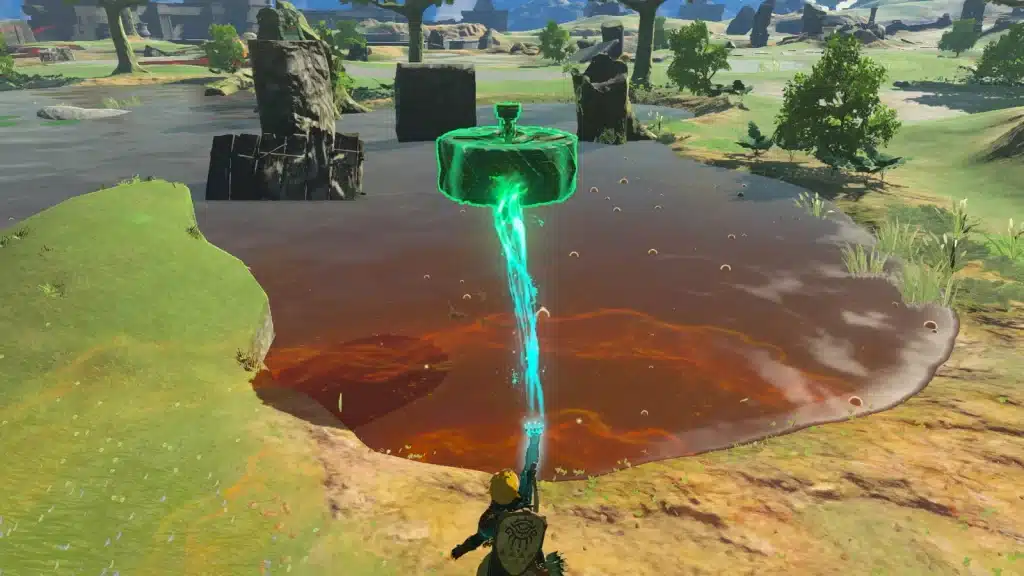
If you’ve just landed on the Great Sky Island and wondered what all those logs, planks and strange stone devices are for, this is your answer. Ultrahand is the ability that turns Tears of the Kingdom from a game you play into a game you build.
This guide covers where you get it, the exact controls, how gluing and Zonai devices work, and the habits that make building feel easy. There’s no wrong way to approach this, so glue things together, watch them wobble and try again.
How to Get Ultrahand
- Where: the Ukouh Shrine on the Great Sky Island, the first shrine the island points you to after you leave the Room of Awakening.
- When: within your first hour. It’s the first of Link’s four Great Sky Island abilities, followed by Fuse, Ascend and Recall.
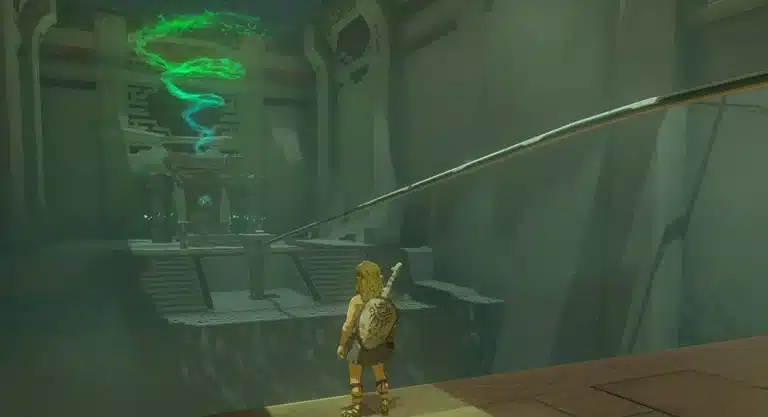
- The first test: inside the shrine you have to join a board and a hook to move forward. That’s the whole idea of the ability in one puzzle.
- What it does: grab and move almost any object, rotate it, and stick it to other objects to make bridges, vehicles and machines.
Lore Connection: the power comes from the arm Link wakes up with, the same arm behind every new ability. Fans of Breath of the Wild will notice it plays like Magnesis, except it isn’t limited to metal.
Ultrahand Controls
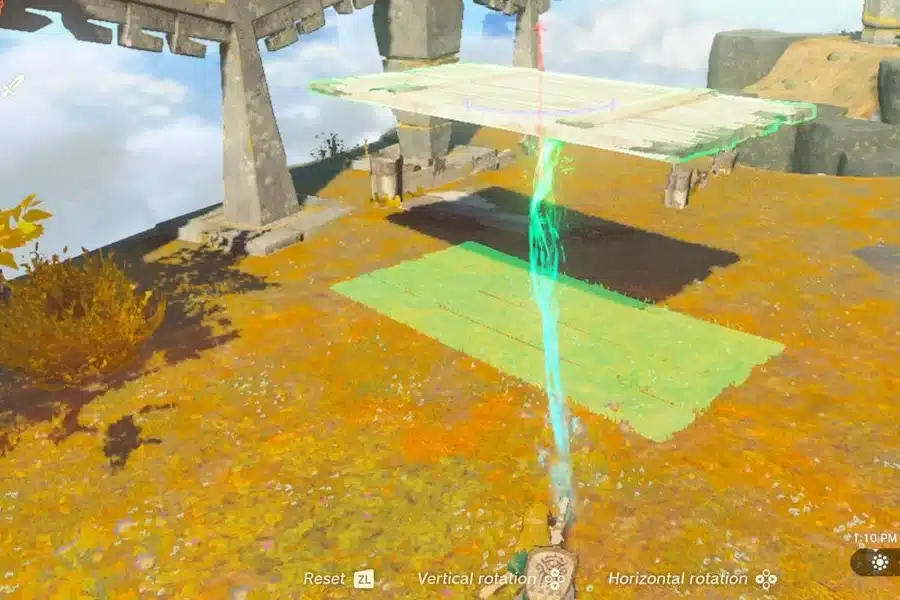
Here’s your checklist of the controls, straight from Nintendo’s own beginner tips and the in-game prompts:
| Action | How |
|---|---|
| Open the ability | Hold L and pick Ultrahand |
| Grab an object | Aim at it and press A |
| Raise or lower it | Tilt the Right Stick up or down |
| Move it closer or farther | Use the prompt on screen while holding it |
| Rotate it | Hold R and press the directional buttons |
| Attach it to another object | Bring it close until the glue preview appears, then press A |
| Take objects apart | Grab the structure and wiggle the Right Stick left and right |
| Let go | Press B |
One handy habit from Nintendo’s tips: when you’re stuck, switch on Ultrahand and look around. Objects you can grab change color, and they’re often the hint you need to move forward.
How Gluing Works
Bring a held object near another one and a green preview shows where they’ll bond. Press A and they’re stuck together with Zonai glue. The finished build moves as one piece, so you can pick up a whole bridge and drop it across a gap.
- Build in stages: glued pieces stay together when you let go, so you can add parts a little at a time.
- Mistakes are cheap: wiggle a piece free and try again. Nintendo’s own advice is to never be afraid of failure here.
- Physics still applies: long, heavy builds can sag or snap. Start small and add parts once the base holds.
- Glue isn’t Fuse: Ultrahand sticks objects to each other in the world. Fuse attaches materials to your weapons, shields and arrows.
Zonai Devices: Where Builds Come Alive
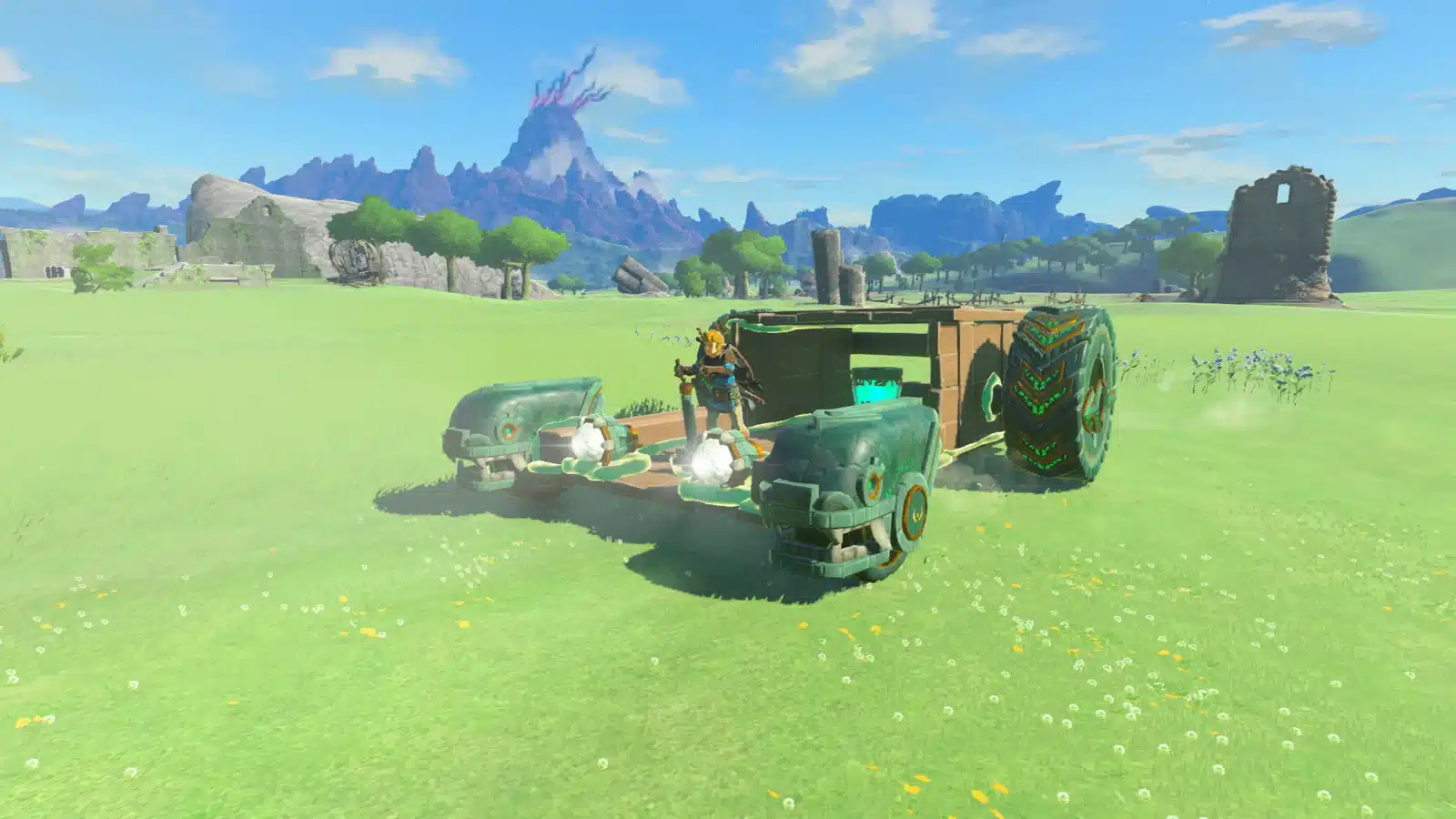
Planks and logs get you across gaps. Zonai devices turn them into machines. Fans push, Wheels roll, Wings glide, Steering Sticks let you drive, and Batteries keep everything running. Most devices switch on when you strike them, while a Steering Stick lets you control the build directly.
- Where to get devices: you’ll find them lying around the Great Sky Island and other sky islands, and Zonai Device Dispensers trade them for Zonai Charges.
- Carry them with you: devices from dispensers come as capsules. Drop one from your pouch, then grab it with Ultrahand.
- Watch your power: powered devices drain your battery, so upgrade it as you go if you love building.
Easy First Builds
| Build | Parts | Use |
|---|---|---|
| Plank bridge | Two or three wooden planks | Crossing gaps and rivers |
| Raft | Logs or planks plus a Fan | Crossing lakes |
| Basic car | A plank, four Wheels, a Steering Stick | Fast travel across flat ground |
| Wing glider | A Wing, optionally with Fans | Flying between sky islands |
Take it at your own pace. Even the simplest raft feels like a small victory the first time it actually floats.
Autobuild: Ultrahand’s Upgrade
Later on you unlock Autobuild, which remembers everything you’ve built with Ultrahand and rebuilds it in seconds, using Zonaite to fill in missing parts. You can grab it surprisingly early: our guide on how to unlock Autobuild early shows the route, and the Autobuild guide covers how to use it.
On the Nintendo Switch 2 Edition, ZELDA NOTES in the Nintendo Switch App adds Autobuild Sharing, so you can share your designs as QR codes and scan other players’ builds.
One more thing before you move on: Ultrahand is also the go to tool for Korok puzzles, from block shapes to delivering traveling Koroks to their friends. Our Korok seed guide has the full list of puzzle types.
Ultrahand FAQ
Where do you get Ultrahand in Tears of the Kingdom?
In the Ukouh Shrine on the Great Sky Island. It’s the first ability you get.
How do you rotate objects with Ultrahand?
While holding an object, hold R and press the directional buttons to rotate it vertically or horizontally.
How do you separate glued objects?
Grab the structure with Ultrahand and wiggle the Right Stick left and right until the pieces break apart.
Is Ultrahand the same as Magnesis?
It’s similar, but Ultrahand works on almost any object, not just metal, and it can glue objects together.
Take Your Time: there’s no perfect machine to build and no wrong answer to any puzzle. Grab a plank, stick on a fan and see what happens. Some of the best ideas in this game start as happy accidents.