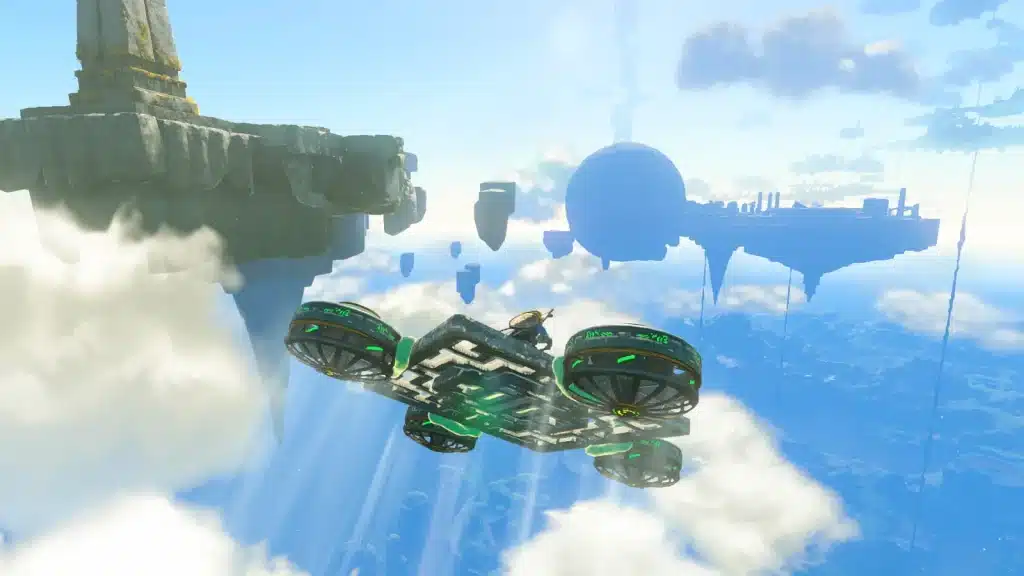
Tired of rebuilding the same hovercraft every time you need to cross Hyrule? Autobuild is your fix. It rebuilds your saved Ultrahand creations in seconds, and it feels like cheating (in the best way).
The catch: you won’t get it on the Great Sky Island. Autobuild is the last of Link’s right arm abilities, and it’s waiting deep in the Depths. Here’s the full breakdown, checked against the current version 1.4.3.
Where to Get Autobuild in Tears of the Kingdom
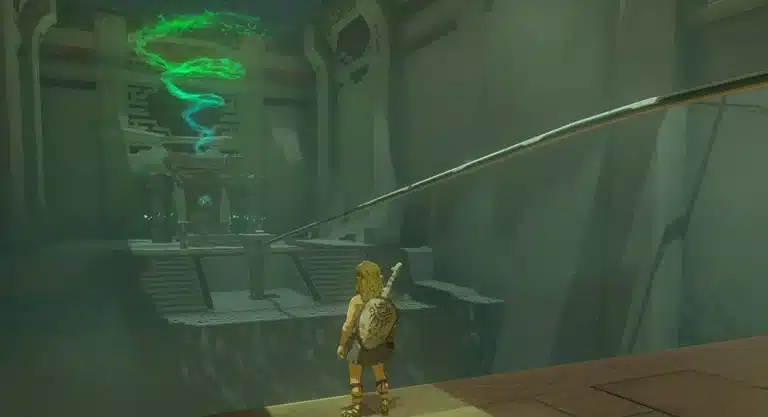
Autobuild sits inside the Great Abandoned Central Mine, a huge structure in the Central Hyrule Depths, below the Great Plateau area. You don’t need any quest to claim it, so you can grab it early if you’re brave enough to explore the dark.
- Story route: Robbie and Josha at Lookout Landing send you into the Depths with “Camera Work in the Depths.” After you clear one of the Regional Phenomena dungeons, Josha follows up with “A Mystery in the Depths,” which points you to the mine.
- Early route: skip the quests and head straight down. No progress check stands in your way.
- Boss warning: claiming Autobuild kicks off a fight with Master Kohga of the Yiga Clan. Bring a bow and a stack of weapons.
Route 1: Follow the Statues
This is the quest’s intended path and it’s easy to follow once you know the trick.
- Step 1: Stock up on Brightbloom Seeds. The Depths are pitch black until you activate Lightroots.
- Step 2: Warp or travel to the Iayusus Lightroot in the Central Hyrule Depths.
- Step 3: Find the nearest statue and check which way it faces. Head in that direction until you reach the next statue.
- Step 4: Repeat until the chain ends at the Great Abandoned Central Mine. Enemy camps sit along the way, so fight or sneak past. Your call.
Route 2: The Great Plateau Shortcuts
Want it as early as possible? Your best bet is one of the Great Plateau chasms.
- Great Plateau North Chasm: drop in, activate the nearby Nogukoyk Lightroot, then head south toward the lights of the mine. It’s the most direct way in.
- Great Plateau East Chasm: this one opens in the Eastern Abbey. At the bottom you’ll find mine carts on a rail. Attach a Fan or two to a cart and ride it toward the mine.
(Pro tip: activating the Hyrule Field Skyview Tower first makes the surface part of the trip much easier.)
Claiming the Ability
At the mine you’ll meet a couple of “researchers” from Josha’s expedition who are a little too eager to help. Interact with the glowing Construct setup they’re studying to get Autobuild. Then the disguises come off, and Master Kohga rolls in on his contraption. Shoot him in the head with an arrow to stun him and knock him off, then go to town while he’s down.
You also walk away with your first Schema Stone, and that matters more than it sounds. More on that below.
How Autobuild Works
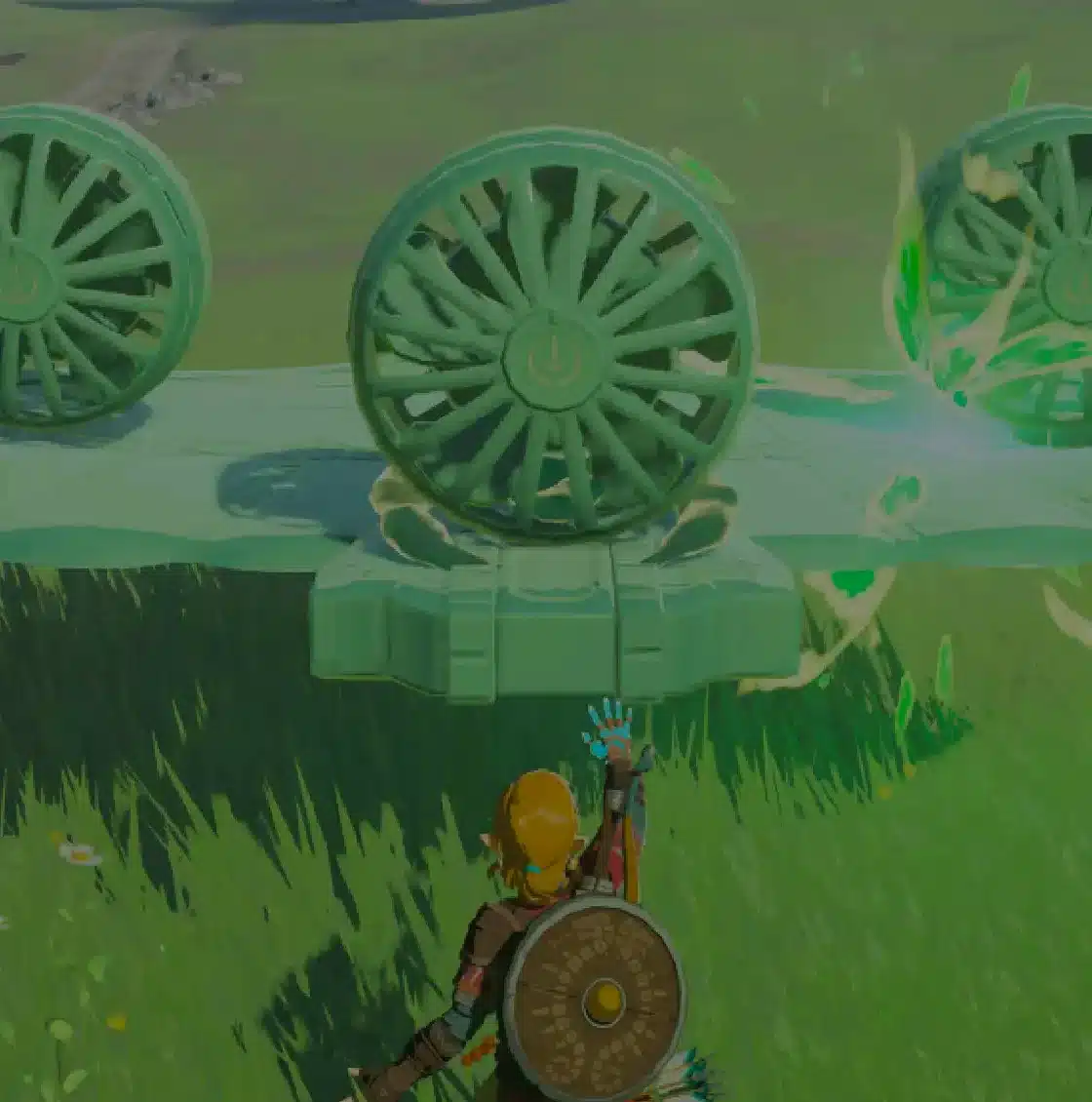
Autobuild is basically Ultrahand with a memory. Every time you stick objects together with Ultrahand, the design is saved for you automatically. Select Autobuild from the ability wheel, pick a design, and a ghost preview appears in front of you. Confirm, and Link pulls the parts together.
| Feature | How it works |
|---|---|
| History | Holds up to 30 recent builds. When full, the oldest entries are deleted |
| Favorites | Up to 8 designs. Press Y in the History list to mark one, and it’s protected from deletion |
| Nearby parts | Autobuild pulls matching parts from your surroundings first |
| Missing parts | Replaced with Zonaite. The more parts are missing, the more Zonaite it costs |
| Zonaite parts | Can’t be pulled off the build with Ultrahand, though you can still attach new parts |
| Schema Stones | Add preset designs to Autobuild, even ones you never built yourself |
Schema Stones
Schema Stones are blueprints you collect in the Depths. Each one adds a ready-made design to your Autobuild menu. You get the first one at the mine, and more turn up as you explore the Depths and help with Josha’s research. They’re a great shortcut if you’re not a natural engineer.
Autobuild Tips That Save You Zonaite
- Build where the parts are: Autobuild uses nearby materials before it touches your Zonaite. Summon your favorite vehicle next to a pile of planks or a stash of devices and it costs much less.
- Raid a Device Dispenser first: grab the Zonai devices you need from a dispenser, drop them, then Autobuild. Fewer missing parts means a smaller bill.
- Favorite early: star your go-to vehicles right away. History only holds 30 builds, and an afternoon of experiments can push your best design off the list.
- Keep favorites lean: eight slots go fast. Save one ground vehicle, one flyer, one boat and leave the rest for experiments.
- Farm Zonaite: Zonaite deposits are all over the Depths. Mine them while you’re down there, because ambitious builds burn through it quickly.
Oh, and Zonaite-made parts vanish if the build breaks apart, so don’t count on salvaging them later.
Sharing Builds with ZELDA NOTES
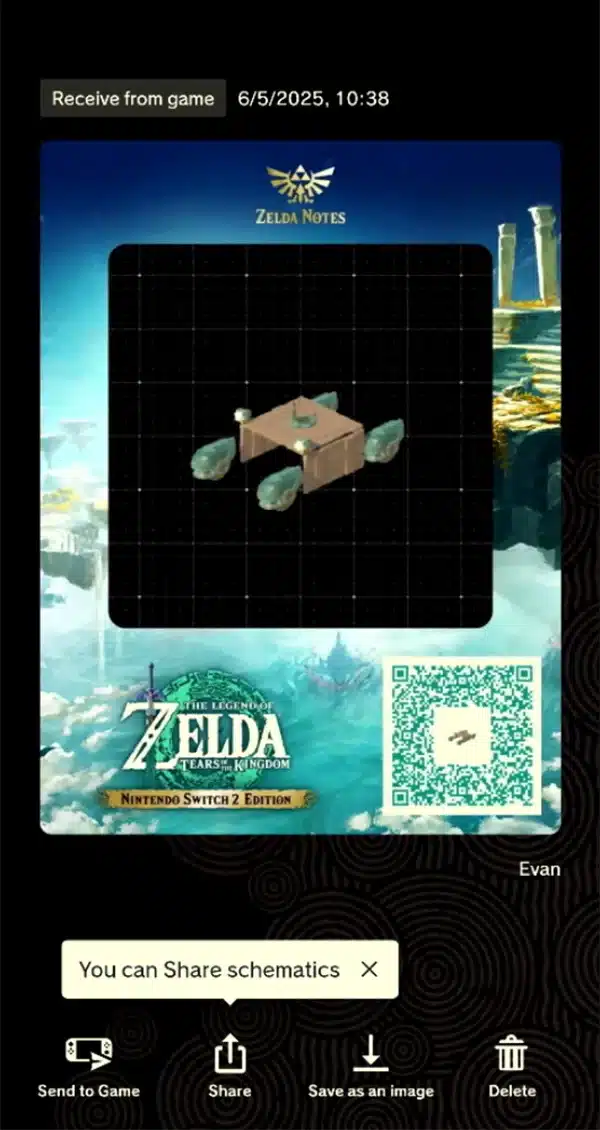
If you play the Nintendo Switch 2 Edition, Autobuild gets a social side. The ZELDA NOTES feature in the Nintendo Switch App lets you send any Ultrahand design to your phone, where it becomes a QR code you can share on social media. Scan someone else’s code and ZELDA NOTES imports their design into your game.
- Requirements: a Nintendo Account, a compatible smart device and a persistent internet connection. No Nintendo Switch Online membership is needed.
- Switch 2 Edition only: design sharing only works with the Nintendo Switch 2 Edition of Tears of the Kingdom.
- Privacy note: some information, such as your name, is visible to anyone who scans your QR code.
Shared designs still follow normal Autobuild rules, so check how many parts a design needs before you build it. Big community builds can cost a lot of Zonaite if you don’t have the parts around.
Autobuild FAQ
Where do you get Autobuild in Tears of the Kingdom?
At the Great Abandoned Central Mine in the Central Hyrule Depths. Interact with the glowing Construct setup inside to unlock it.
Can you get Autobuild early?
Yes. It isn’t locked behind the story. Drop into the Great Plateau North Chasm and head south to the mine.
How many builds can Autobuild save?
History keeps up to 30 recent builds, and you can protect up to 8 as Favorites.
Does Autobuild cost Zonaite?
Only for missing parts. If the right materials are nearby, Autobuild uses them for free.
Can you share Autobuild designs?
Yes, on the Nintendo Switch 2 Edition. ZELDA NOTES turns your designs into QR codes that other players can scan into their game.
Autobuild turns the most tedious part of Tears of the Kingdom into a few button presses, and it frees you to experiment because a failed build costs almost nothing. Grab it, favorite your best vehicle, and go see how far it gets you. Want to master the basics first? Check out our Ultrahand guide and our breakdown of Fuse.