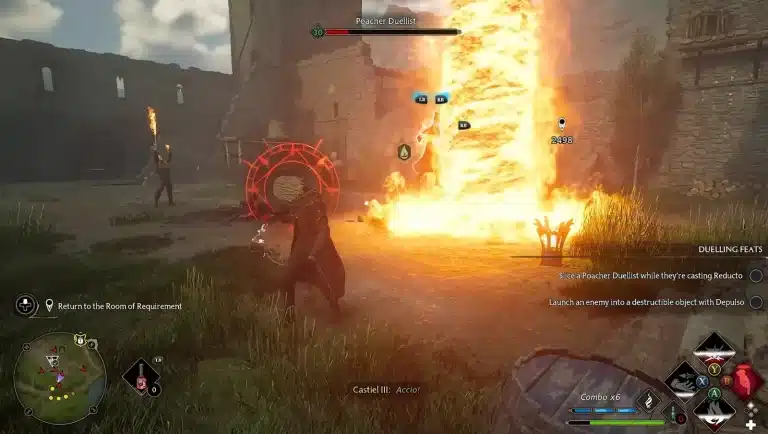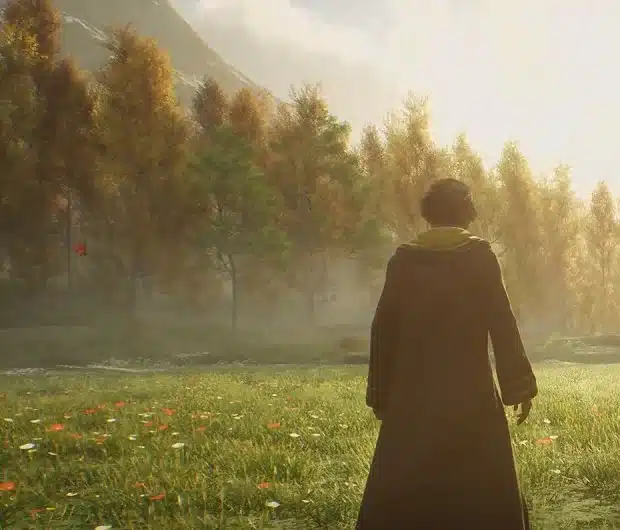

So you want to attend Hogwarts on PC, and honestly, who can blame you? Before you hit buy, let’s make sure your rig can actually carry you through the castle gates.
Here’s the chill version: the official requirements are friendlier than you’d expect for a huge open world game, and even the minimum tier gets you through the whole story. Let’s walk through this together.
Hogwarts Legacy PC Requirements at a Glance
Warner Bros. Games and Avalanche published four performance tiers before launch. The Steam store page lists the first two, and the Ultra and 4K tiers come from the full official breakdown.
| Tier | Target | CPU | GPU | RAM |
|---|---|---|---|---|
| Minimum | 720p, 30 fps, Low | Intel Core i5-6600 or AMD Ryzen 5 1400 | GeForce GTX 960 4GB or Radeon RX 470 4GB | 16 GB |
| Recommended | 1080p, 60 fps, High | Intel Core i7-8700 or AMD Ryzen 5 3600 | GeForce GTX 1080 Ti, Radeon RX 5700 XT or Intel Arc A770 | 16 GB |
| Ultra | 1440p, 60 fps, Ultra | Intel Core i7-10700K or AMD Ryzen 7 5800X | GeForce RTX 2080 Ti or Radeon RX 6800 XT | 32 GB |
| Ultra 4K | 2160p, 60 fps, Ultra | Intel Core i7-10700K or AMD Ryzen 7 5800X | GeForce RTX 3090 Ti or Radeon RX 7900 XT | 32 GB |
Every tier shares the same basics:
- Operating system: 64-bit Windows 10 (the official spec sheet lists Windows 10; Windows 11 runs it fine too), with a 64-bit processor.
- DirectX: version 12.
- Storage: 85 GB free. At the minimum tier an SSD is preferred and a hard drive is supported; Recommended and both Ultra tiers list an SSD as required.
The Vibe: the minimum CPU and GPU are close to a decade old now. If your PC is a few years old, you are probably in better shape than you think. The one number people trip over is RAM: 16 GB is the floor even for the lowest tier.

How to Check Your PC in Five Minutes
Not sure what’s inside your machine? No stress, Windows tells you everything you need.
- Operating system and CPU: open Settings, then System, then About. You’ll see your Windows edition, whether it’s 64-bit, and your processor.
- Graphics card and VRAM: open Task Manager, go to the Performance tab and click GPU. The model and dedicated GPU memory are listed there.
- RAM: the Memory section on that same Performance tab shows how much you have.
- Storage: open File Explorer and check free space on the drive you plan to install to. Aim for an SSD with 85 GB spare, plus a bit of room for patches.
- Compare: match each part against the table above. Land between two tiers? Expect something in between, like 1080p with a mix of Medium and High.
No Stress: one part slightly under the line doesn’t mean the game is off the table. It usually means lower settings or upscaling, not a broken experience.
What Each Tier Actually Feels Like
Minimum
720p at 30 fps on Low gets you through the whole adventure. It isn’t flashy, but the castle is still the castle, and the story plays out exactly the same.
Recommended
This is the sweet spot. 1080p at 60 fps on High makes spellcasting and broom flights feel smooth, and the jump from minimum is huge. Okay, this part is so good: the Highlands at 60 fps are a completely different vibe.
Ultra and Ultra 4K
Both Ultra tiers ask for 32 GB of RAM and high end graphics cards. They look gorgeous, but they’re completely optional, and note that turning on ray tracing pushes the hardware demands even higher than these tiers.
Tips for Smoother Performance
- Use an SSD: this is the cheapest upgrade with the biggest payoff. Loading and world streaming while you fly both improve a lot.
- Turn on upscaling: the PC version supports NVIDIA DLSS, AMD FSR and Intel XeSS. Quality mode wins back frame rate with very little visual cost.
- Be careful with ray tracing: it is the heaviest option in the menu. On mid range cards, leave it off and spend the headroom on resolution.
- Get to 16 GB of RAM: if you’re on 8 GB, upgrading is the first thing to do, since 16 GB is the official minimum.
- Update your drivers: fresh NVIDIA, AMD or Intel drivers often smooth out stutter.
- Close background apps: browsers and launchers quietly eat memory.
The PC version has also picked up updates since launch. For the latest graphics changes, see our news on the Hogwarts Legacy ray tracing update.
Steam Deck and Handhelds
Hogwarts Legacy was rated Steam Deck Verified at launch, so it runs on Valve’s handheld out of the box (the first launch needs an internet connection). Expect low settings and a modest frame rate rather than anything like the recommended tier.
Honestly? The PC crowd is still big years later, and you can see how many people are in the castle right now on our live Hogwarts Legacy player count. If you’re still deciding whether to buy, our guide on whether Hogwarts Legacy is worth playing in 2026 covers the bigger picture.
Hogwarts Legacy PC Specs FAQ
What are the minimum requirements for Hogwarts Legacy on PC?
A 64-bit Windows 10 PC with an Intel Core i5-6600 or AMD Ryzen 5 1400, 16 GB of RAM, a GTX 960 4GB or RX 470 4GB, and 85 GB of storage. That targets 720p at 30 fps on Low.
Can Hogwarts Legacy run on 8 GB of RAM?
The official minimum is 16 GB. It may launch with 8 GB, but expect stutter, so upgrading to 16 GB is strongly advised.
How much storage does Hogwarts Legacy need?
85 GB of free space. An SSD is preferred for all tiers.
Does Hogwarts Legacy support DLSS?
Yes. The PC version supports NVIDIA DLSS, AMD FSR and Intel XeSS upscaling.
Is Hogwarts Legacy Steam Deck Verified?
Yes, it was Steam Deck Verified at launch.
The Payoff: if you hit the minimum, you’re in. Hit the recommended tier and you’re having a great time. You’ve got this, and there’s a version of Hogwarts waiting for whatever PC you own. For more guides, head to our Hogwarts Legacy hub.