Ready to give your Hogwarts adventure a fresh coat of paint? Hogwarts Legacy has official mod support on PC, and it’s far friendlier than the old days of dragging files into game folders. Grab a warm drink and let’s walk through it together.
There’s no wrong way to approach this. Whether you want a new outfit for your student or a brand new quest to chase, the setup is the same handful of menus. Here’s your checklist.
What Official Mod Support Is
Warner Bros. Games added official mods in a free PC update on January 30, 2025. Mods are made with the Hogwarts Legacy Creator Kit, which is free on the Epic Games Store, and they’re hosted and moderated by CurseForge.
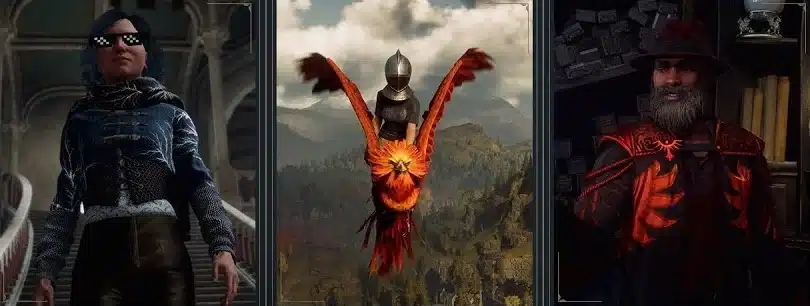
- Content types: character enhancements like cosmetics and skins, plus custom dungeons and quests.
- Where you get them: only through the in game mods browser. You can look around the CurseForge website, but installs happen inside the game.
- Moderation: mods go through CurseForge’s moderation, and you can report a problem mod from inside the game.
Before You Start: Requirements
Don’t skip this one: a couple of requirements catch people out before they ever see the mods menu.
| Requirement | Details |
|---|---|
| Platform | PC only, on Steam or the Epic Games Store |
| Consoles | Not supported (PlayStation, Xbox and Nintendo Switch versions have no official mods) |
| Account | Your Steam or Epic account must be linked to a Warner Bros. Games Account |
| Game version | The latest PC update installed |
| Achievements | Disabled while you play a mod enabled save |
Missable! Completionists, you’ll want to know: achievements switch off on any save with mods enabled. If you’re still hunting trophies on PC, keep one save completely vanilla.
Step by Step: Installing Your First Mod
This is one of those moments worth slowing down for. Each menu is simple, so take it at your own pace.
- Link your accounts: create or sign in to a Warner Bros. Games Account and connect your Steam or Epic Games account in its account settings. The game and the official Hogwarts Legacy website both link to the right page.
- Launch the game: start Hogwarts Legacy on PC and pick Play Mods from the Main Menu.
- Find a mod: look through the Discover tab, or search under Browse.
- Install it: open the mod’s detail page and install it. Mods you install or favorite show up in your Library tab.
- Pick a save: go to the Enable Mods tab and choose the save you want to apply mods to. Saves without any mods applied are marked with an exclamation mark.
- Enable the mod: enable each mod you want. They’re numbered in the order you enable them. You need to be online for the official mod system to work.
- Apply your changes: choose Apply Changes, then pick Apply Changes or Apply Changes and Continue in the prompt.
- Load in: start your modded save straight from the Enable Mods menu. The game compiles shaders after you enable new mods, so give it a moment.
And that’s the whole process. For the record, I went through every one of these menus, and the hardest part is waiting for shaders.
What You Get Out of Modding
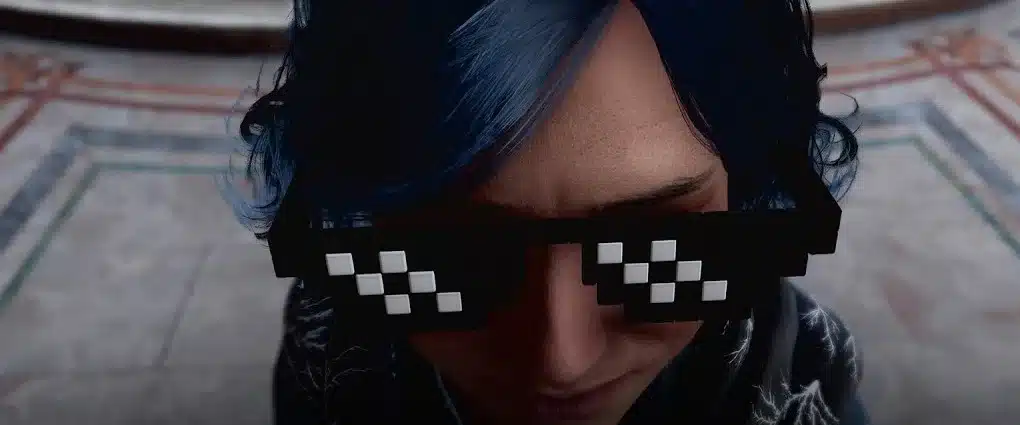
- Cosmetics and skins: new outfits, hairstyles and character tweaks.
- Quests: creators can build their own storylines, which is a treat after the credits roll.
- Dungeons: new spaces to explore once you’ve cleared the Highlands.
- Gameplay and mounts: browse the categories for quality of life tweaks and new ways to fly.
Lore Connection: community quests and dungeons keep extending the wizarding world in new directions. You’d be surprised what’s hiding in the side content people build.
Pro Tips for Smooth Modding
- Protect your main save: apply mods to a separate character or a copy of your save, so your vanilla playthrough stays untouched and keeps its achievements.
- Add mods a few at a time: it’s a marathon, not a sprint, and it makes troubleshooting much easier.
- Troubleshoot one at a time: if something behaves oddly, disable the mod you added last and test again.
- Update first: crashes after installing a mod? Make sure you have the latest version of that mod before anything else.
- Know who to ask: WB Games support can’t troubleshoot user made mods. Report issues to the mod author (some listings have an Issues tab) or to CurseForge support.
- Report bugs on clean saves: disable mods first and check whether a bug still happens before reporting it to WB.
One more thing before you move on: if you’re new to the game itself, mods can wait. Our look at whether Hogwarts Legacy is worth playing in 2026 and the Hogwarts Legacy hub are good starting points, and the interactive map helps you finish the base game first. The PC crowd is still sizable; see the live Hogwarts Legacy player count for how many are playing right now.
Hogwarts Legacy Mods FAQ
Can you use official mods on PS5, Xbox or Switch?
No. Official mods are only supported on PC through Steam and the Epic Games Store.
Do mods disable achievements in Hogwarts Legacy?
Yes. Achievements are disabled while you play a save with mods enabled. Keep a separate vanilla save if you’re chasing them.
Do I need a WB Games account to use mods?
Yes. Your Steam or Epic Games Store account has to be linked to a Warner Bros. Games Account before the official mods menu works.
Where do official Hogwarts Legacy mods come from?
They’re made with the free Hogwarts Legacy Creator Kit and hosted by CurseForge. You install them from Play Mods in the game’s Main Menu.
What should I do if the game crashes after installing a mod?
Update the mod, then try changing the load order or disabling recently added mods. If it still breaks, contact the mod author or CurseForge support.
Take Your Time: link your accounts, install one or two mods, and try them on a copy of your save. Once that first modded load works, the rest is just browsing. Happy exploring.